 ShotPress
Shrink photos for WhatsApp without losing quality
Published · Updated · Meru Apps
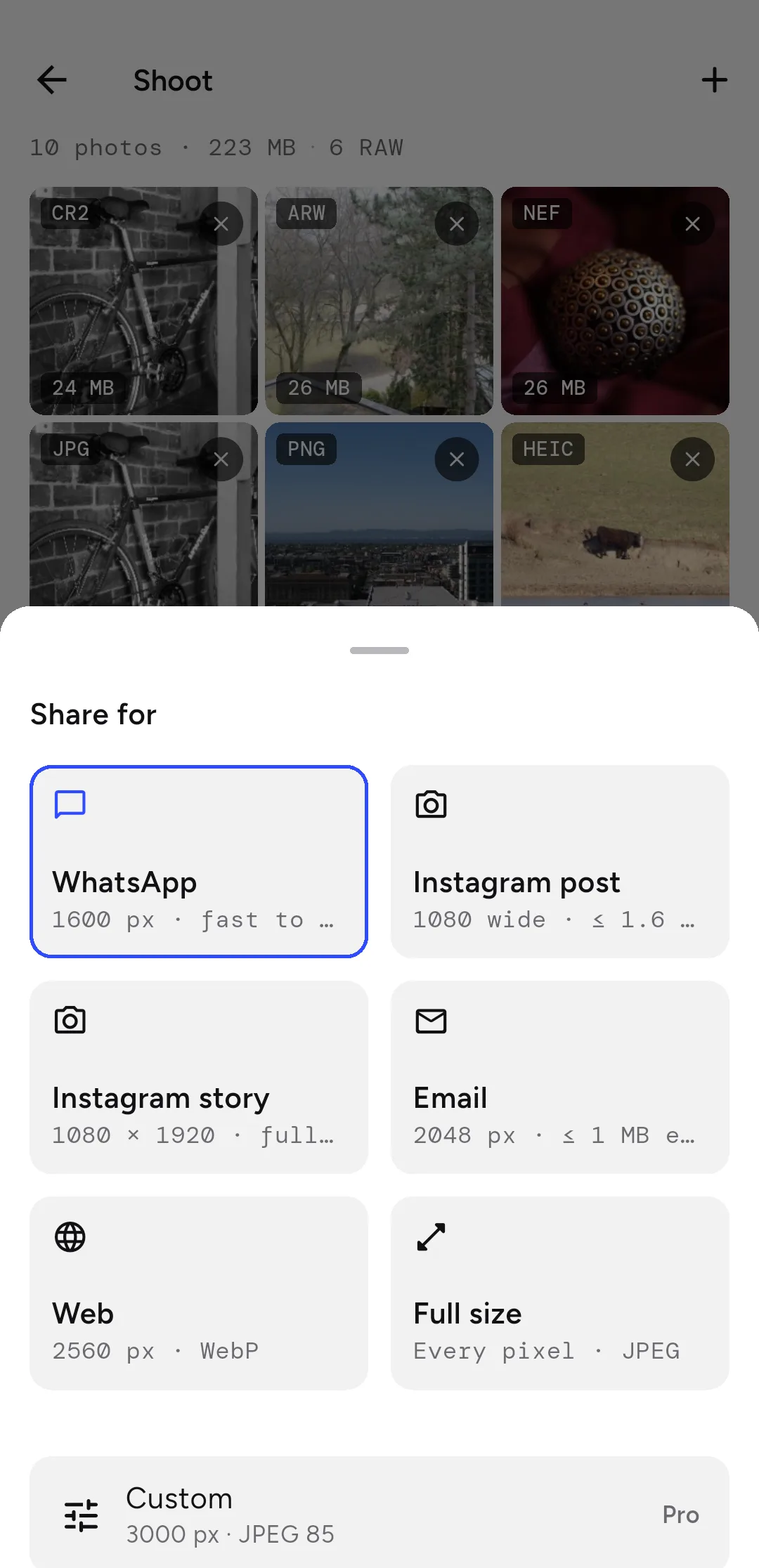
To shrink photos for WhatsApp without the quality falling apart, make a right-sized copy first. Open ShotPress, select your photos, choose the WhatsApp preset — long edge 1600 px — and tap compress. Send that copy and WhatsApp has little left to re-compress, so it looks sharp in the chat.
Shrink photos for WhatsApp, step by step
- Open ShotPress and tap Select photos (or import a whole folder with Folder).
- Select the photos you want to send.
- Tap the preset row and choose WhatsApp (1600 px, fast to send).
- Tap Compress, then Share all and pick WhatsApp, or Save and attach from the chat.
Why do photos look blurry on WhatsApp?
When you send a full-size photo, WhatsApp re-compresses it hard to save data, and that second squeeze is what softens the picture. If you send a copy that's already a sensible size and quality, there's far less for WhatsApp to throw away, so it stays sharp.
What size should a WhatsApp photo be?
A long edge around 1600 px is the sweet spot — it fills a phone screen and sends in a second. The WhatsApp preset uses exactly that. For a group of photos, ShotPress compresses the whole batch to the same setting in one pass.
Can you send the full-quality version?
Yes — in WhatsApp, attach the photo as a Document instead of a photo and it sends without re-compression. Use the ShotPress Full size preset to make that JPEG first, so you're sending a reasonable file rather than a huge RAW.
Does it lose quality?
At 1600 px the picture holds up for a chat; the file is what shrinks. Check any result in the before/after view — the exact sizes are shown — before you send it.
What it doesn't do
ShotPress doesn't post to WhatsApp for you; it makes the right-sized copy and hands it to the share sheet, where you pick the chat. It also can't undo compression WhatsApp already applied to a photo someone sent you — start from your own original for the best result.
Try it
ShotPress is coming to Google Play, with iOS to follow. See all the features, or the guides below.