 ShotPress
How to compress RAW photos on your phone
Published · Updated · Meru Apps
To compress RAW photos on your phone, open ShotPress, pick the RAW files from your gallery or a folder, choose a share preset such as Email or WhatsApp, and tap compress. It opens DNG, CR2, CR3, NEF, ARW and more, shrinks each to a share-ready JPEG on the device, and leaves your originals untouched.
Compress a batch of RAW photos, step by step
- Open ShotPress and tap Select photos, or import a whole folder with Folder.
- Select the RAW photos you want. Each tile shows a badge — RAW, DNG, CR3, NEF — so you can tell them apart.
- Tap the preset row and pick where they're going: WhatsApp, Instagram, Email, Web or Full size.
- Tap Compress. A progress bar shows each file; keep ShotPress open while the batch runs.
- On the results screen, tap any photo to compare before and after, then Share all or Save to the ShotPress album.
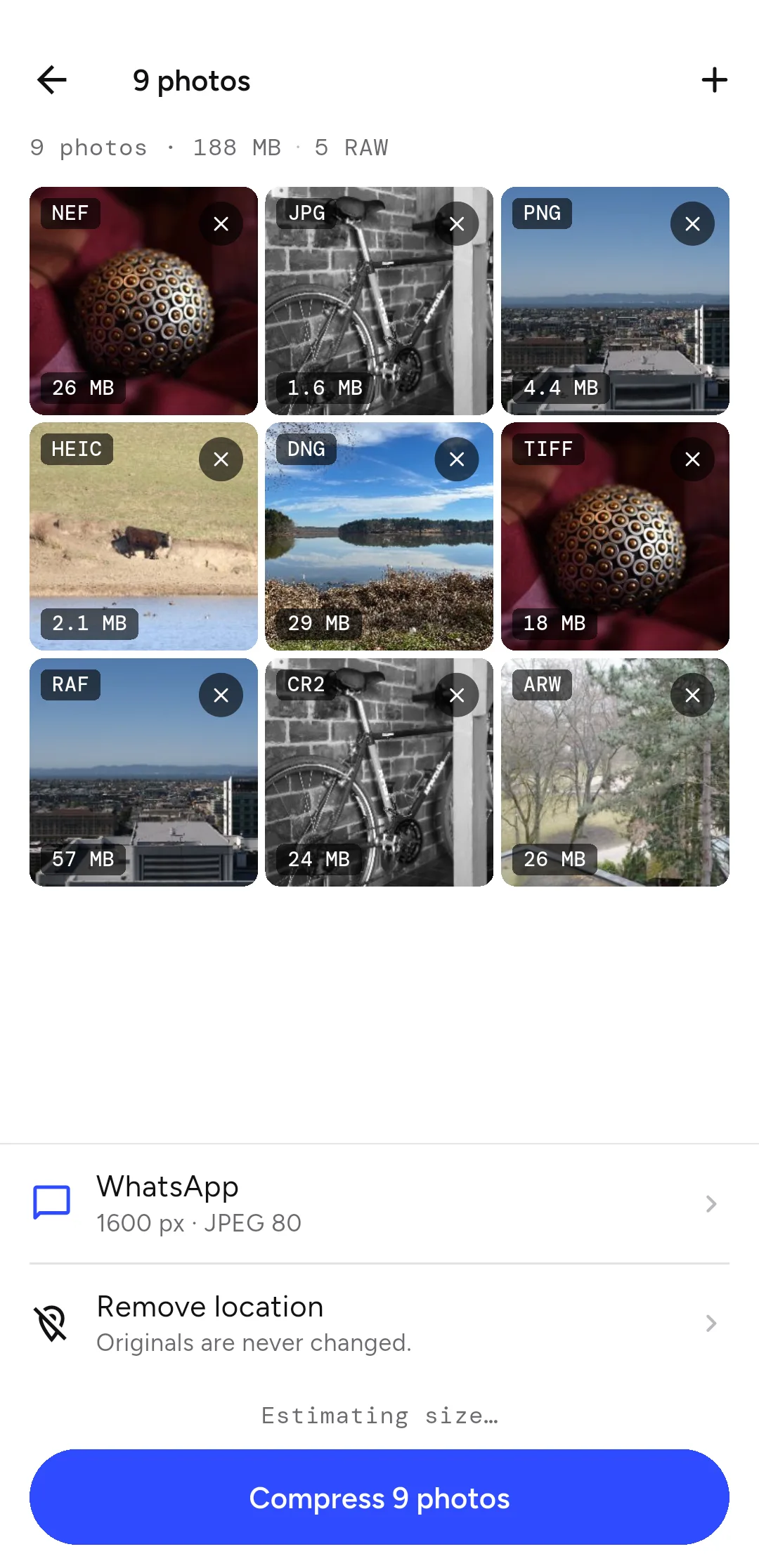
Which RAW formats can you compress?
ShotPress opens DNG, CR2, CR3 (Canon), NEF and NRW (Nikon), ARW, SRF and SR2 (Sony), RAF (Fujifilm), ORF (Olympus), RW2 (Panasonic), PEF (Pentax) and SRW (Samsung). It reads the camera's own full-size preview inside the RAW file, or decodes the RAW with the platform, then writes a JPEG, WebP or PNG.
Will the quality drop?
At share sizes the picture holds up; the file size is what drops. Before you send anything, open a result and drag the before/after slider — the exact sizes and dimensions are shown. If a photo is already small, ShotPress says so rather than making it worse.
Where do the compressed photos go?
Results are saved as new files in their own album (Pictures › ShotPress on Android, your Photos library on iOS), or a folder you choose. Compressing never changes or deletes your original RAW files, so you keep the full-quality shot to edit later. RAW only leaves your library if you choose Free up space and turn on RAW yourself.
Does it upload my photos?
No. Every photo is compressed on your device. ShotPress makes no network call to do it, so it works with no connection at all — there is no account and nothing is sent anywhere.
What it doesn't do
ShotPress doesn't edit RAW (no exposure or colour grading) — it's for getting share-ready copies out fast. On Android, some Sony (ARW), Olympus (ORF) and Panasonic (RW2) files open at the camera's embedded preview size rather than full resolution; on iPhone and iPad they render at full size. The app shows the output dimensions before you start. An iOS version is on the way.
Try it
ShotPress is coming to Google Play, with iOS to follow. See all the features or the other guides below.