 ShotPress
How to batch resize photos on Android
Published · Updated · Meru Apps
To batch resize photos on Android, select them in ShotPress, choose a preset such as WhatsApp (1600 px), Email (2048 px) or Web (2560 px), and tap Compress. Every photo is resized in one pass on your phone and saved as a new file, keeping its shape unless the preset crops (the Instagram presets crop to 4:5 and 9:16).
Batch resize photos, step by step
- Open ShotPress and tap Select photos, or bring in a whole Folder, a ZIP or files from Files.
- Select every photo you want resized. RAW, HEIC, JPG, PNG and WebP can be mixed in one batch.
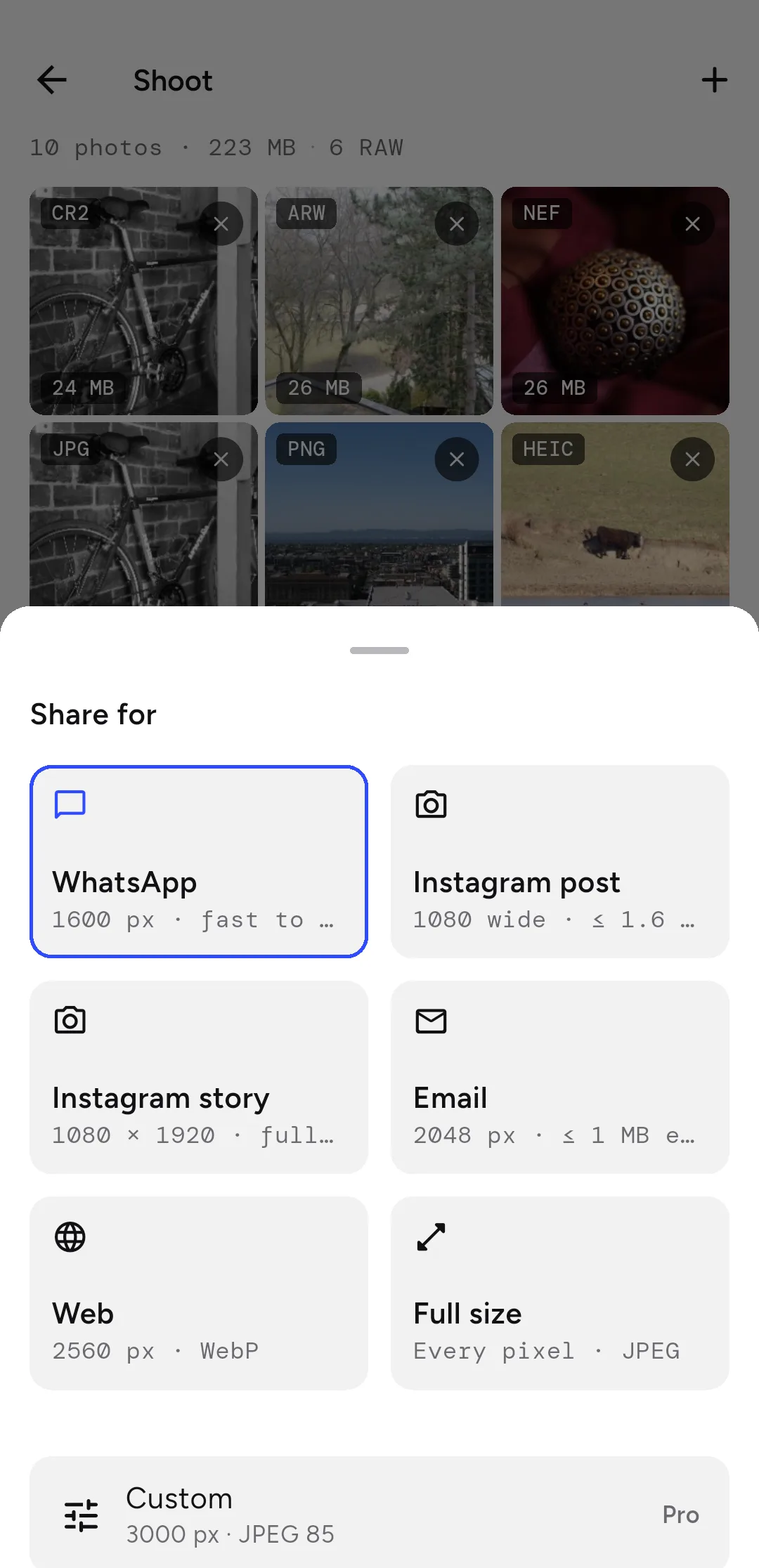
- Tap the preset row and choose a size: WhatsApp (1600 px on the long edge), Email (2048 px), Web (2560 px), Instagram post (1080 × 1350) or Instagram story (1080 × 1920).
- Tap Compress. A progress bar counts the files as they finish; keep ShotPress open while the batch runs.
- Tap Share all, or Save to put the resized copies in Pictures › ShotPress.
How do you resize photos in bulk to an exact size?
On Pro, choose Custom and pick a long edge: 1080, 1600, 2048, 2560, 3000 or 4096 pixels, or Full size. Every photo in the batch is scaled so its longer side matches. You can also set a size limit per photo, such as 500 KB or 1 MB, and ShotPress finds the quality that fits.
Will resizing stretch or crop my photos?
No stretching: each photo keeps its shape, and a photo already smaller than the size you chose is never enlarged. Cropping happens only when you ask for it. The Instagram presets crop to 4:5 and 9:16 by default, and the Crop row lets you choose Original, 1:1, 4:5, 9:16, 16:9 or 3:2 for the batch, then adjust the frame on any single photo.
Can you rename the resized files?
Yes, on Pro. A rename pattern names every output file, using the original name, a counter, the date, the preset or the new width and height, for example {date}-{nnn}. By default each copy keeps its original name, and the original file is never overwritten.
Can you batch resize RAW photos?
Yes. ShotPress opens DNG, CR2, CR3, NEF, ARW, RAF, ORF, RW2 and more, and resizes them in the same pass as your JPGs. On Android, some Sony, Olympus and Panasonic RAW files open at the camera's embedded preview size, not full resolution, so the copy can't be larger than that preview; the compare screen shows the exact size of every result.
What it doesn't do
The free tier resizes up to 5 photos a day with every preset; Pro removes the limit and adds Custom sizes and rename patterns. If a photo fails, the results screen offers to retry it. Keep ShotPress open until the batch is done. An iOS version is on the way.
Try it
ShotPress is in closed testing on Android now, with the public release on Google Play coming soon and iOS later. Ask to join the early-access test and we'll add your Google Play account to the testers list, or see all the features.